ThemeXDigital
Acrylic Paint Bottle Stands
Acrylic Paint Bottle Stands
Couldn't load pickup availability
Acrylic Paint Stand Laser Cutting Files | 20 & 30 Bottle Storage Racks
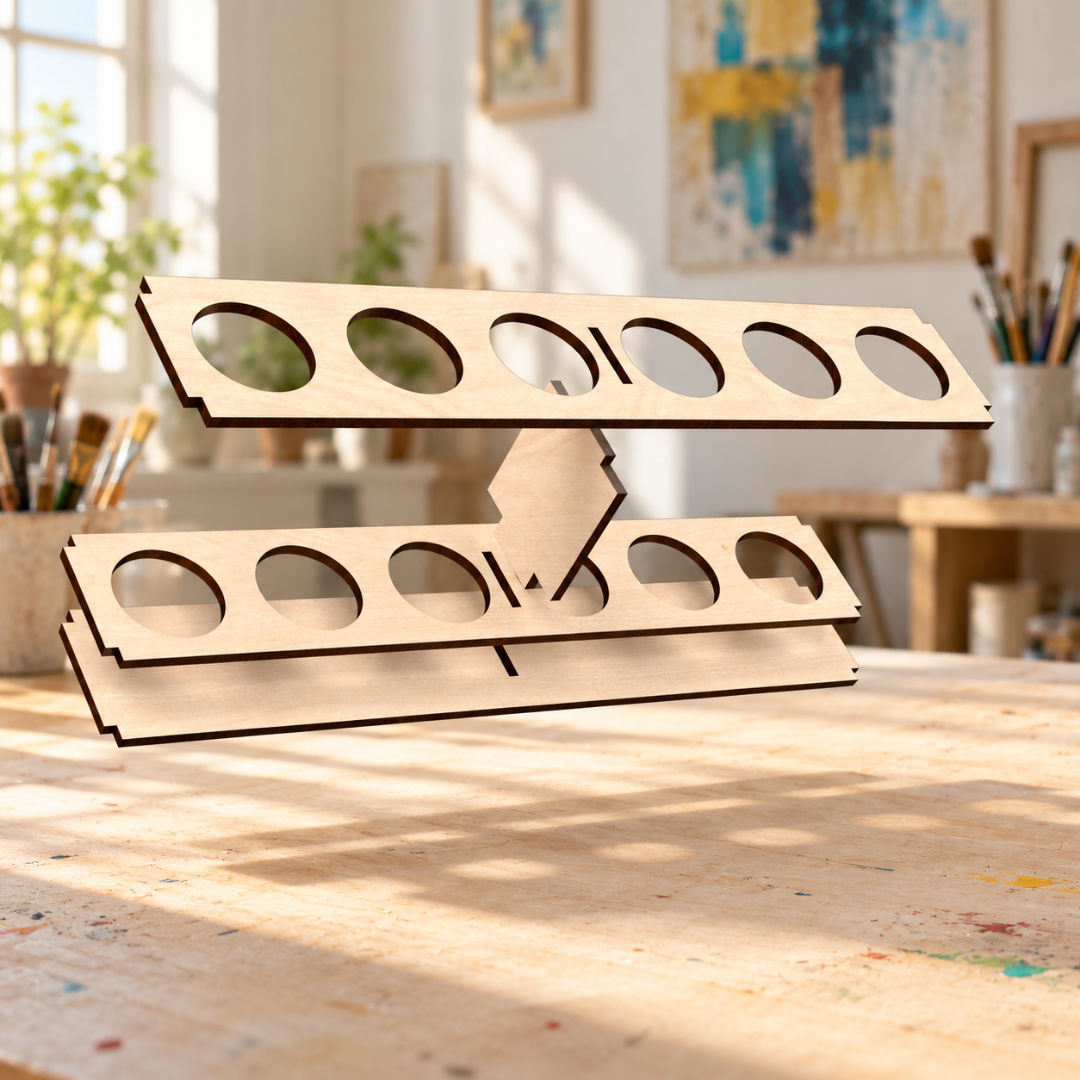
Keep your creative workspace organised with these acrylic paint stand laser cutting files. Create wooden storage racks that display your paint bottles at an angle, making colours easy to see and select while you work.
Choose from two stand sizes: a compact 20-bottle design with four rows of five, or a larger 30-bottle design with five rows of six. Ideal for organising acrylic craft paints in an art studio, hobby room or crafting workspace.
The stands feature circular bottle openings, angled supports and interlocking wooden panels. Leave the birch plywood natural to show its grain and contrasting laser-cut edges, or personalise it with a suitable paint or finish.
Cutting files are included for 3mm, 3.2mm (1/8 inch) and 4mm materials, allowing you to select the version that suits your chosen sheet thickness.
Design Features
Two stand sizes: A 20-bottle rack and a larger 30-bottle rack.
Angled bottle storage: Displays your paints with the caps facing forwards for easy access.
Individual bottle openings: Keeps bottles separated and arranged in clearly defined rows.
Space-saving organisation: Stores multiple paint colours vertically to help keep your worktop tidy.
Laser-cut construction: Slotted panels, shelf supports and finger joints form the stands.
Three material thickness options: Files included for 3mm, 3.2mm (1/8 inch) and 4mm materials.
Customisable finish: Leave the wood natural or decorate it to match your workspace.
Included File Formats
Your digital download includes AI, EPS, DXF, PDF and SVG files, offering flexible options for a range of design software and laser cutting workflows.
AI: For editing in Adobe Illustrator.
EPS: For compatible vector design applications.
DXF: For compatible CAD and laser cutting software.
PDF: For viewing and importing into supported applications.
SVG: For compatible vector editors and laser cutting programs.
The supplied formats provide options for workflows using Adobe Illustrator, CorelDRAW, Inkscape, LightBurn and other compatible software. Select a format supported by your application and version; some workflows may require conversion.
Cutting & Assembly
Use the files with laser cutting machines whose control software supports a supplied format and whose hardware is suitable for your chosen material.
Select the cutting files for 3mm, 3.2mm (1/8 inch) or 4mm material to match your sheet thickness. Before cutting, check the imported scale, dimensions and joint fit. Measure your material’s actual thickness, allow for your machine’s kerf and test a small joint section first.
Check the bottle-opening size against your own paint bottles. Bottle sizes vary between brands, so test-cut a single opening to confirm a suitable fit.
Dry-fit the components before final assembly and use a suitable wood adhesive where required. If resizing the design, adjust the bottle openings, joints and clearances separately to maintain a suitable fit.
Please note: This listing is for digital laser cutting files only. No physical paint stands, paint bottles, materials, tools or accessories are included. Compatibility depends on your software, laser cutting machine and material setup.
Share