ThemeXDigital
Magic Alley Book Nook
Magic Alley Book Nook
Couldn't load pickup availability
Magic Alley Book Nook Laser Cutting Files | DIY Miniature Street Bookshelf Insert
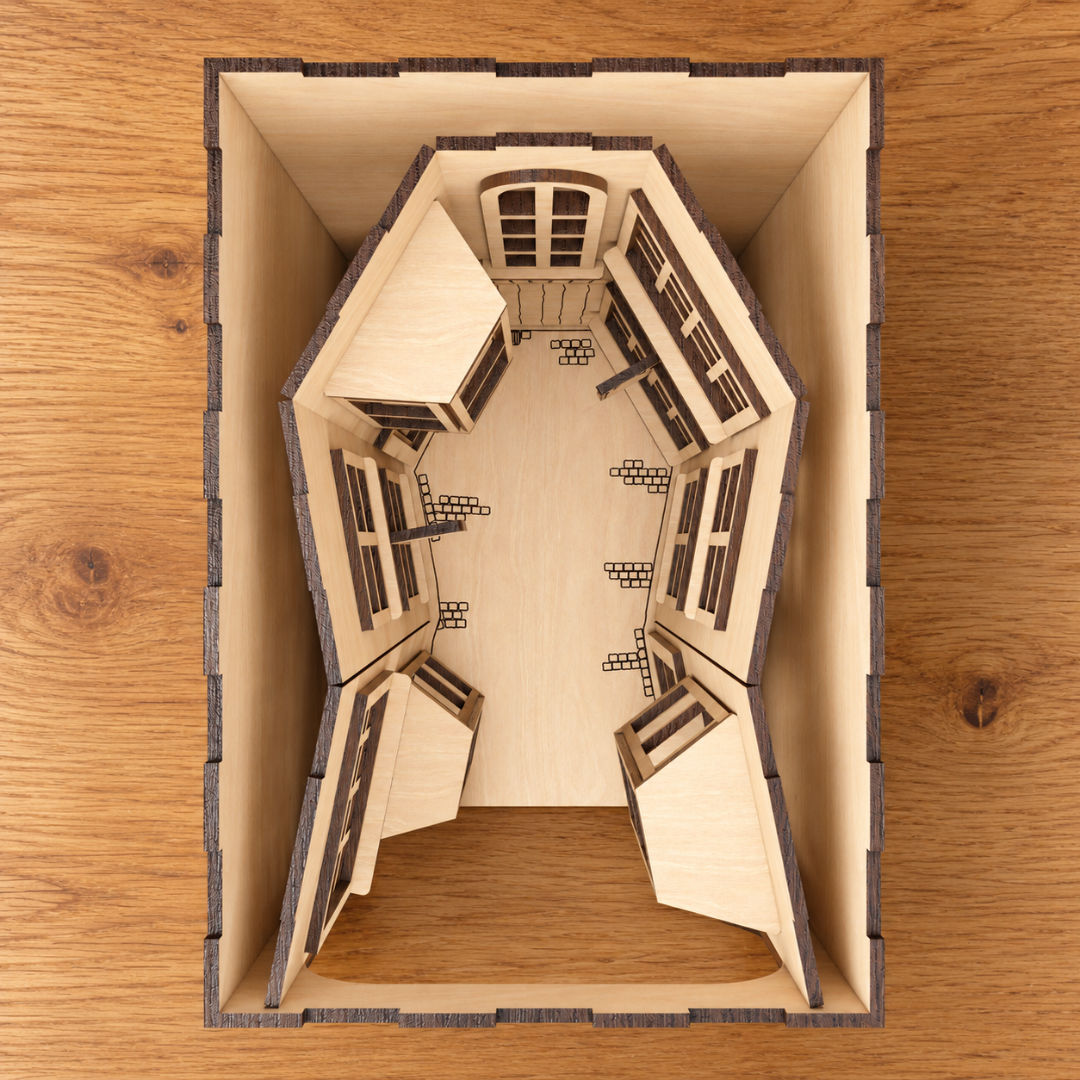
Create a hidden miniature street between your books with these Magic Alley book nook laser cutting files. Featuring layered wooden shopfronts, projecting windows and engraved architectural details, this bookshelf insert brings a touch of fantasy to your home library or reading space.
Look through the rounded front opening to discover a narrow alley lined with detailed windows, panelled doors and hanging shop signs. Engraved paving details and an arched doorway complete the miniature scene, while the layered construction creates depth throughout the alley.
Leave the wood natural to show its grain and contrasting laser-cut edges, or personalise the buildings and signs with suitable paints and finishes. Add your own miniature LED lighting to create the warm window glow shown in the product images.
Cutting files are included for 3mm material only, with joints and slots designed for this sheet thickness.
Design Features
Miniature alley scene: A detailed wooden street designed to display between books on a shelf.
Layered architecture: Projecting bay windows, gridded window frames and decorative supports create depth.
Engraved details: Panelled doors, an arched doorway and paving details add character to the scene.
Hanging shop signs: Blank sign faces allow you to add your own shop names or decorative touches.
Rounded front opening: Frames the alley while providing a clear view of the miniature buildings.
Customisable finish: Leave the wood natural or paint the individual components to create your own magical setting.
Optional lighting: Add separately sourced miniature LEDs to illuminate the windows.
3mm construction: Cutting files supplied for 3mm material only.
Included File Formats
Your digital download includes AI, EPS, DXF, PDF and SVG files, offering flexible options for a range of design software and laser cutting workflows.
AI: For editing in Adobe Illustrator.
EPS: For compatible vector design applications.
DXF: For compatible CAD and laser cutting software.
PDF: For viewing and importing into supported applications.
SVG: For compatible vector editors and laser cutting programs.
The supplied formats provide options for workflows using Adobe Illustrator, CorelDRAW, Inkscape, LightBurn and other compatible software. Select a format supported by your application and version; some workflows may require conversion.
Cutting & Assembly
Use the files with laser cutting machines whose control software supports a supplied format and whose hardware is suitable for your chosen material.
The design is intended for 3mm material. Before cutting, check the imported scale, dimensions and joint fit. Measure your material’s actual thickness, allow for your machine’s kerf and test a small joint section first.
Dry-fit the components before final assembly and use a suitable wood adhesive where required. Painting and finishing smaller architectural pieces before assembly can make detailed areas easier to reach.
If adding lighting, plan the LED positions and cable routing before securing the outer panels. Lighting components must be sourced separately.
If resizing the design, adjust joints, slots and clearances separately to maintain a suitable fit with your material.
Please note: This listing is for digital laser cutting files only. No physical book nook, books, wood, lighting, electrical components, paints or accessories are included. Lighting shown in the product images illustrates a possible finished effect. Compatibility depends on your software, laser cutting machine and material setup.
Share