ThemeXDigital
Spray Paint Stands
Spray Paint Stands
Couldn't load pickup availability
Spray Paint Stand Laser Cutting Files | 4, 8 & 12 Can Wall Mounted or Freestanding Storage
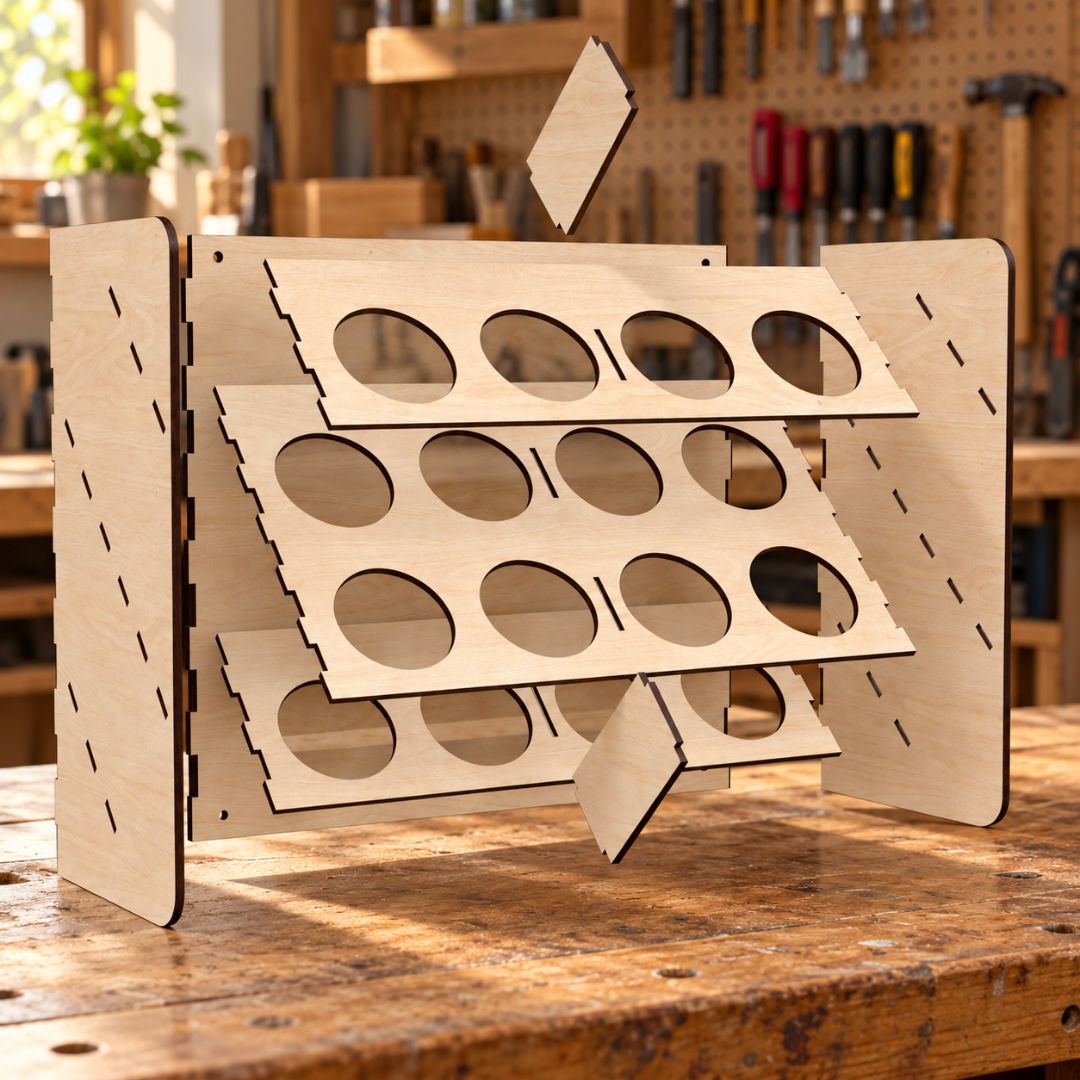
Organise your workshop with these spray paint stand laser cutting files. Create wooden storage racks for 4, 8 or 12 spray paint cans, keeping your colours visible, organised and within easy reach.
The stands feature angled shelves with circular openings that hold spray cans in a tilted position, making the coloured caps easy to see. Each design can be wall mounted or used freestanding, giving you flexible storage for your workspace.
Ideal for workshops, garages, craft rooms and hobby spaces, the stands can be left in natural birch plywood to show its grain and contrasting laser-cut edges, or decorated with a suitable paint or finish.
Cutting files are included for 3mm, 3.2mm (1/8 inch) and 4mm materials, allowing you to select the version that suits your chosen sheet thickness.
Design Features
Three storage capacities: Includes designs for 4, 8 and 12 spray paint cans to suit different collections and available spaces.
Wall mounted or freestanding: Fix the racks to a suitable wall or stand them on a workbench, shelf or other flat surface.
Angled can storage: Sloped shelves hold the cans at an angle, keeping the coloured caps visible and accessible.
Organised workspace: Keep your spray paints together and make it easier to find the colour you need.
Laser-cut construction: Slotted side panels, perforated shelves and connecting supports assemble into a practical storage rack.
Three material thickness options: Files included for 3mm, 3.2mm (1/8 inch) and 4mm materials.
Customisable finish: Leave the wood natural or decorate it to complement your workshop.
Included File Formats
Your digital download includes AI, EPS, DXF, PDF and SVG files, offering flexible options for a range of design software and laser cutting workflows.
AI: For editing in Adobe Illustrator.
EPS: For compatible vector design applications.
DXF: For compatible CAD and laser cutting software.
PDF: For viewing and importing into supported applications.
SVG: For compatible vector editors and laser cutting programs.
Select a supplied format supported by your preferred design or laser cutting software. Import compatibility depends on your application and version; some workflows may require conversion.
Cutting & Assembly
Use the files with laser cutting machines whose control software supports a supplied format and whose hardware is suitable for your chosen material.
Select the cutting files for 3mm, 3.2mm (1/8 inch) or 4mm material to match your sheet thickness. Before cutting, check the imported scale, dimensions and joint fit. Measure your material’s actual thickness, allow for your machine’s kerf and test a small joint section first.
Check the holder openings and clearances against your own spray paint cans before cutting. Can diameters, heights and cap sizes vary, so confirm that your chosen cans fit the finished rack.
Dry-fit the components before final assembly and use a suitable wood adhesive where required. Allow the adhesive to cure fully before loading the stand.
For freestanding use, place the rack on a level surface and check its stability with your cans in place. For wall mounting, use fixings suitable for your wall type and the combined weight of the rack and its contents.
If resizing the design, adjust the slots, tabs and can openings separately to maintain a suitable fit.
Please note: This listing is for digital laser cutting files only. No physical stands, spray paint cans, materials, tools, wall fixings or accessories are included. Compatibility depends on your software, laser cutting machine, material setup and spray can dimensions.
Share